

This Add-On streamlines task management by securely connecting your application with Microsoft To Do through Azure integration. It allows you to create, organize, and track tasks with priorities, statuses, and due dates, ensuring better control over your workflow. With support for both grid and calendar views, along with features like sub-task management and file attachments, it helps you stay organized, monitor progress, and manage your tasks more efficiently across different activities.
Effortless Task Management with Microsoft To Do Integration
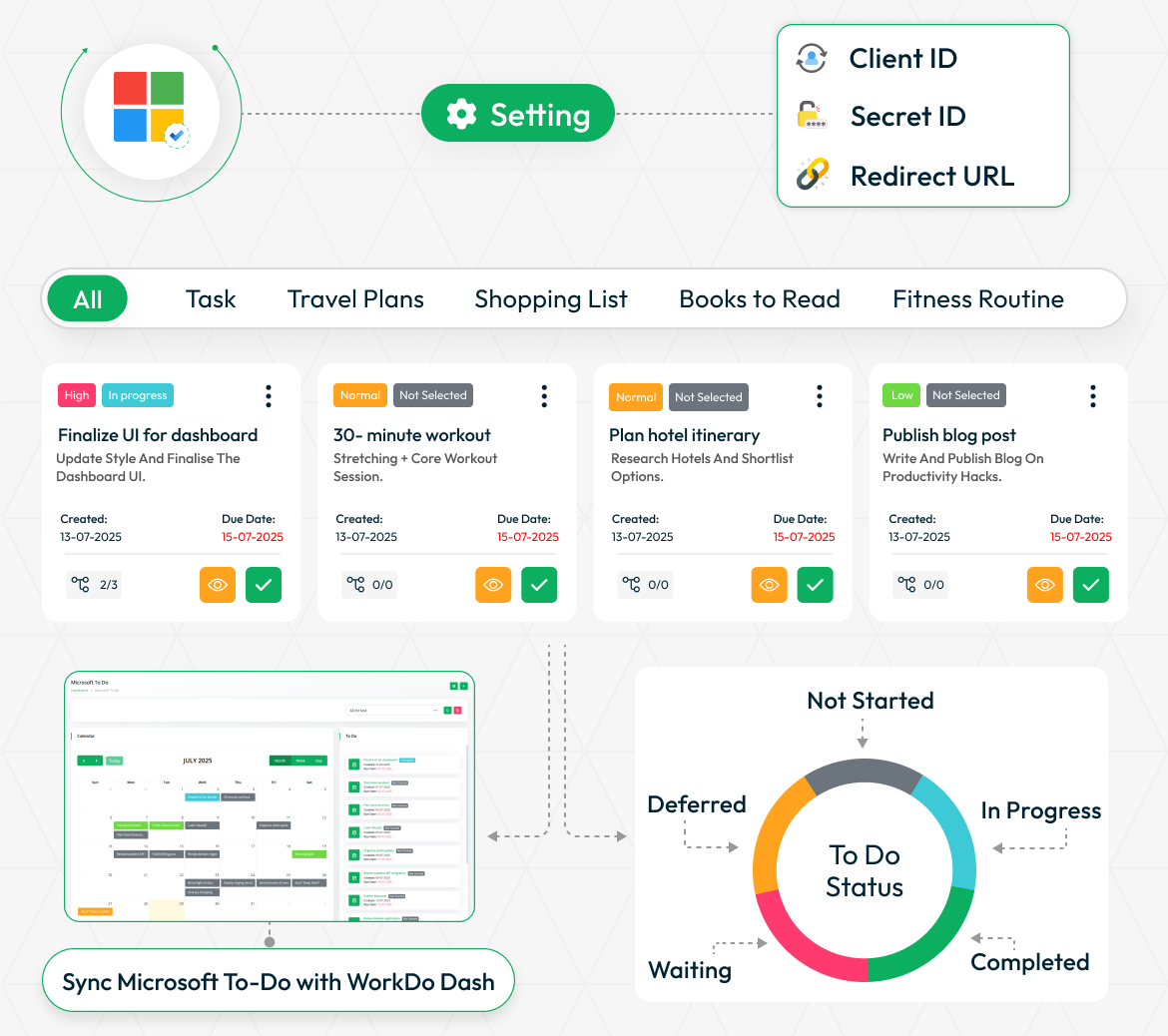
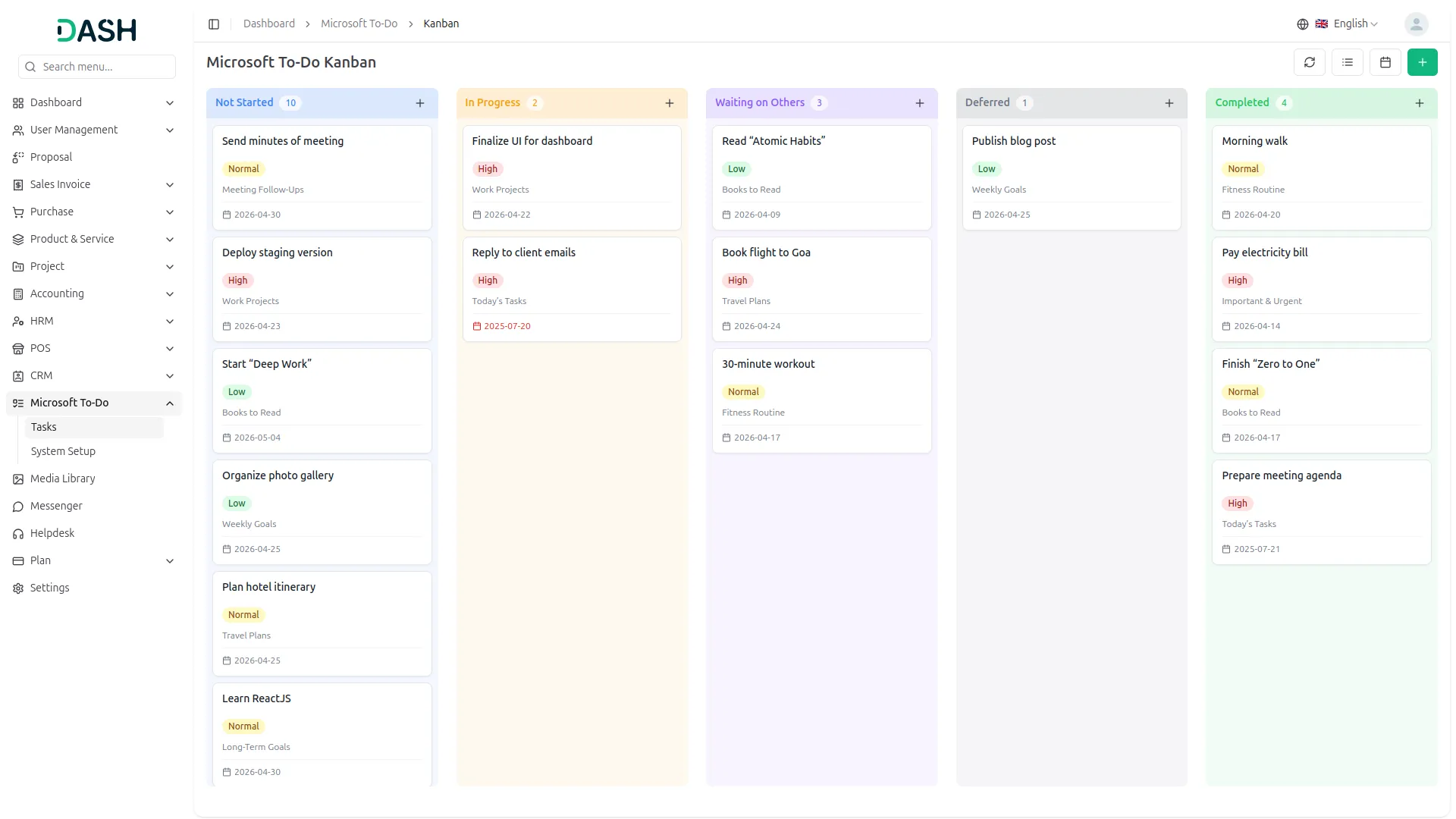
Effortlessly manage tasks across all areas of life, whether it's travel plans, shopping lists, books to read, or fitness routines, using seamless integration with Microsoft To Do. Organize tasks by category, set due dates, assign priorities, and track progress through clear status indicators like Not Started, In Progress, Completed, Deferred, or Waiting. Tasks can be filtered and viewed based on their context, helping users stay focused and productive. Integration setup is quick with required credentials like Client ID, Secret ID, and Redirect URL. Stay on top of deadlines and ensure nothing falls through the cracks by syncing all your to-dos directly with your dashboard.
Easy Microsoft Account Connection
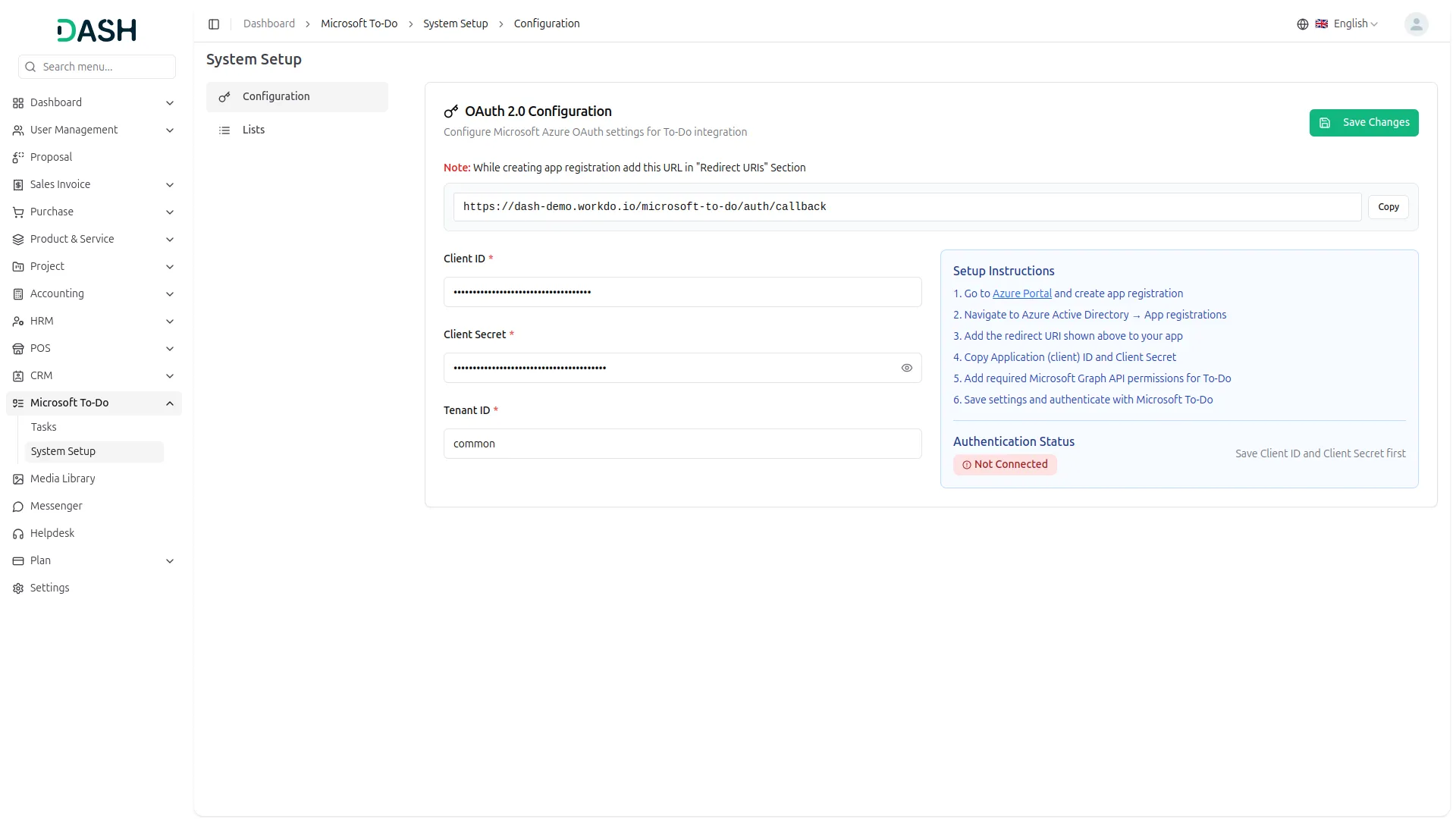
This Add-On helps you connect your application smoothly with Microsoft using Azure Portal Integration. You just need to enter your Microsoft To Do Client ID and Secret ID to make the setup work securely. Once credentials are saved, click the "Generate Token" button to sync your Microsoft account. Account connected, the system automatically creates tokens and keeps your Microsoft account linked without needing to log in every time. All your task data, user information, and lists stay updated across platforms.
Simple Task and List Management
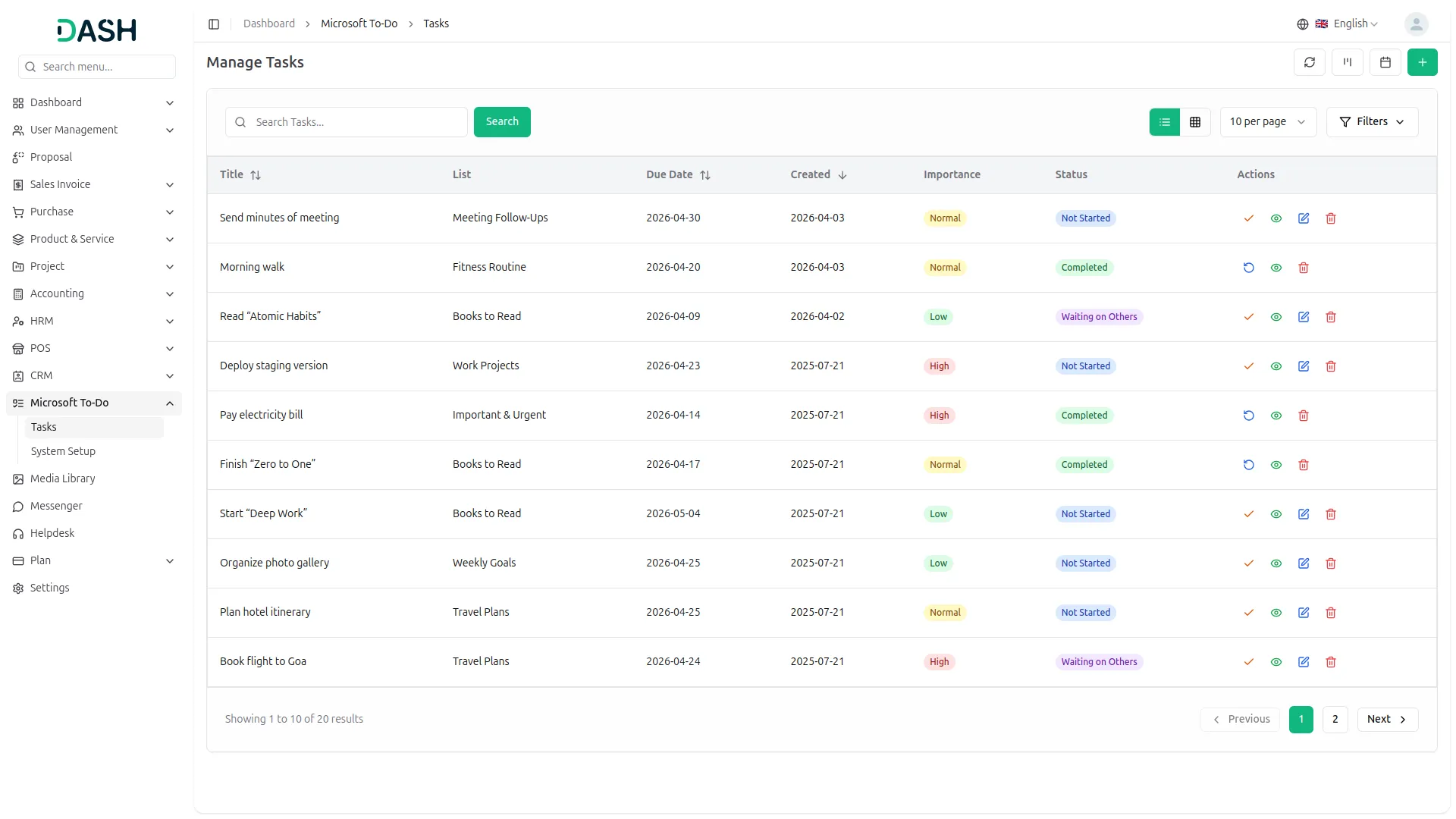
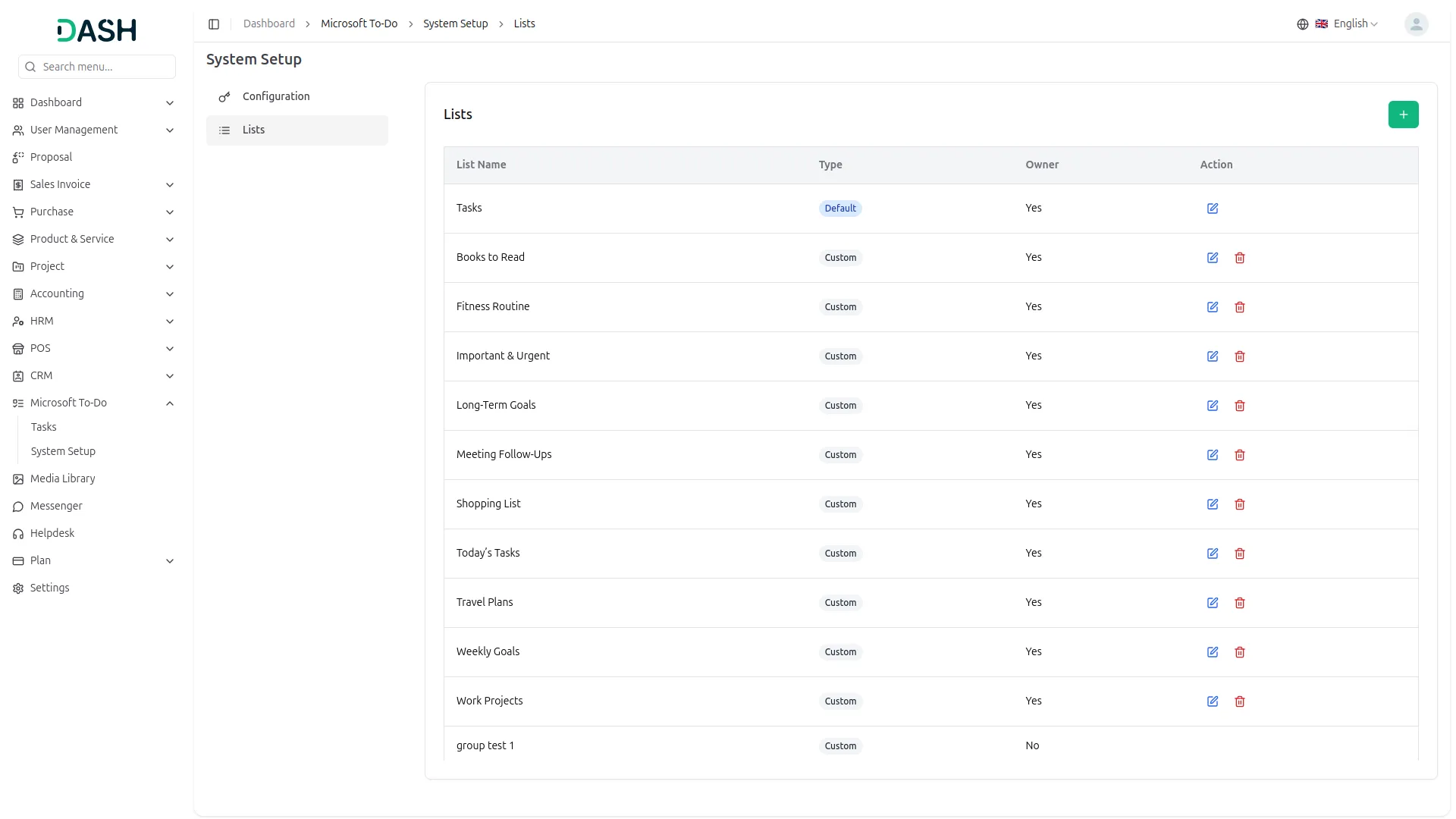
You can easily create, update, and manage your tasks using basic tools like add, edit, and delete. Each task can be given a priority level from low to high, and you can track progress with clear status labels such as not started, in progress, completed, and more. You can also include a due date, task description, and creation date to help manage deadlines. Task lists can be created for different needs, and important system lists(Tasks, Flagged Email, etc.) are protected from being deleted or edited by mistake.
Easy Views, Sub-Tasks & Files
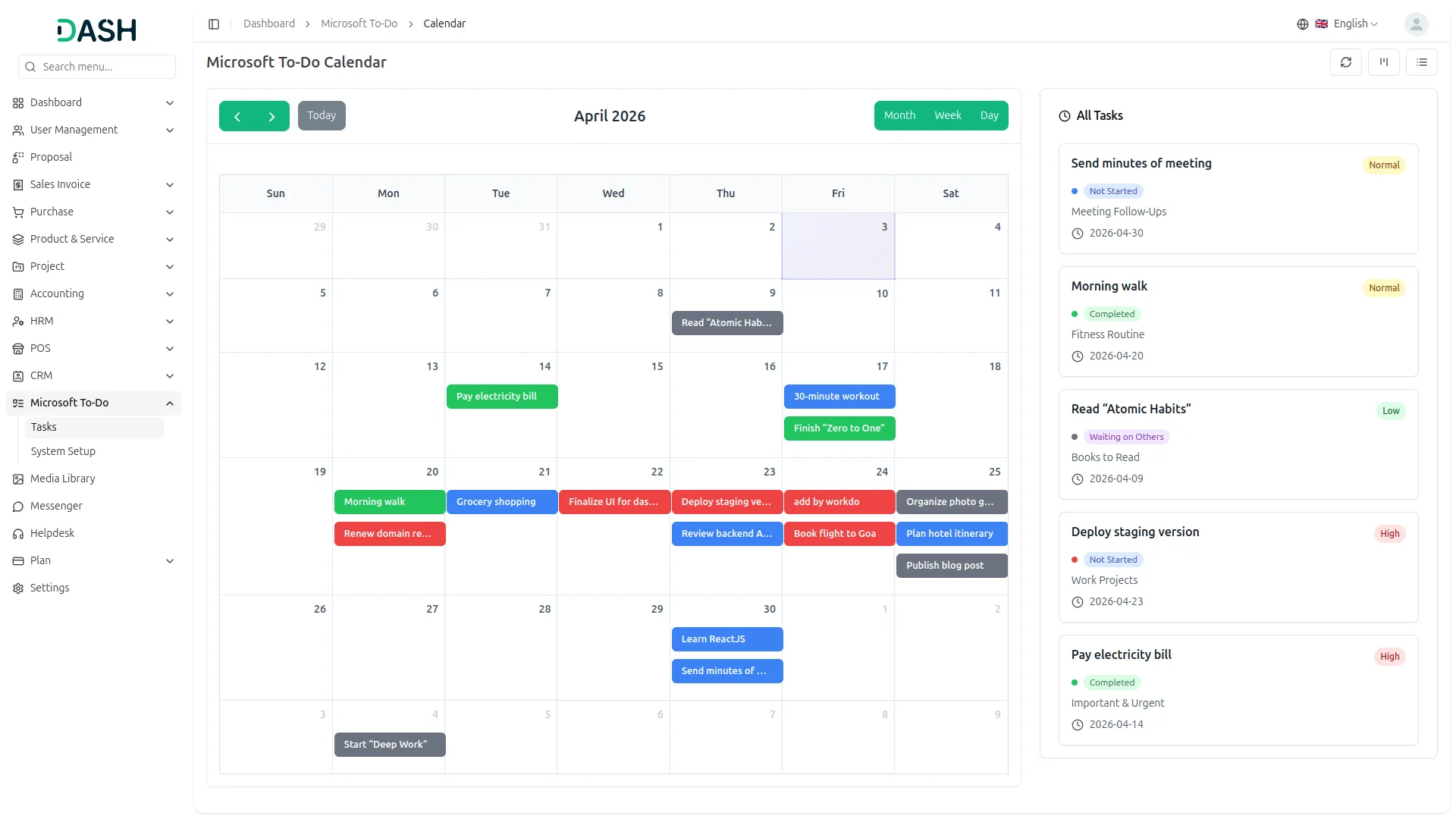
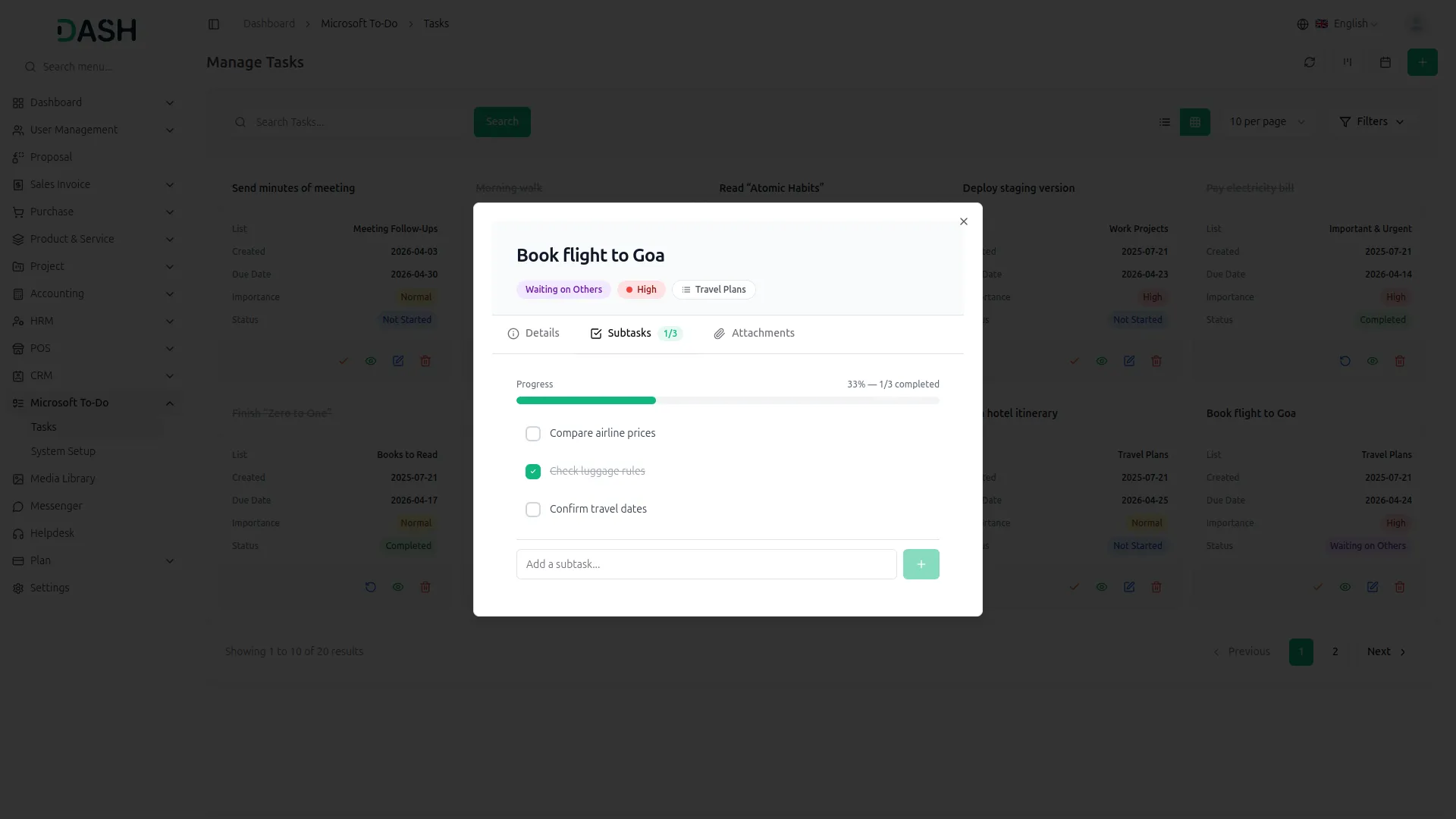
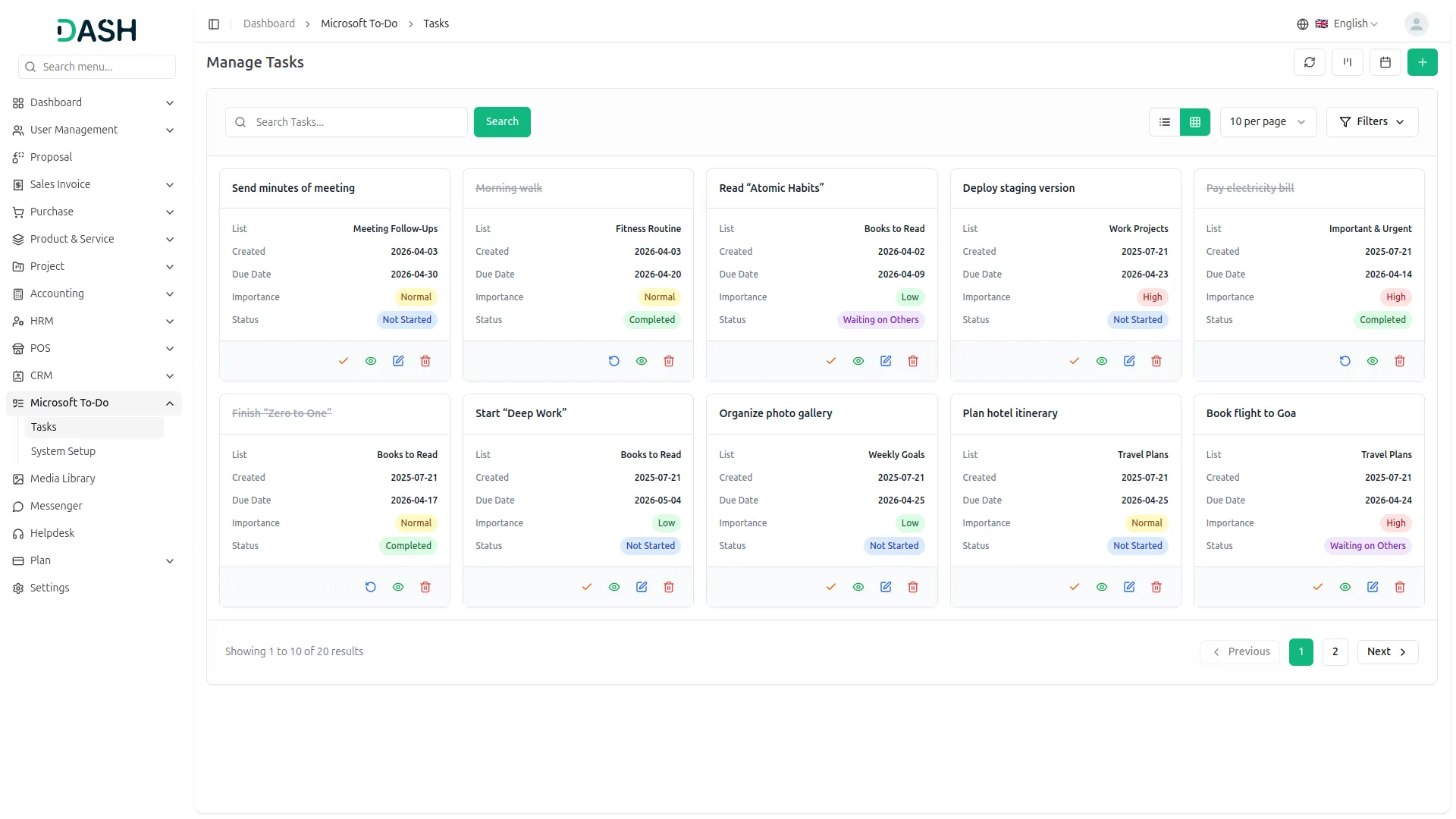
You can choose between a grid view and a calendar view to see your tasks the way you like. The grid view shows task cards with details like name, status, priority, and due date. The calendar view lets you see tasks by date in a monthly format. You can break big tasks into smaller parts (subtasks), track their progress, and mark them complete. You can also upload files directly to each task, making it easy to store and access documents.
Screenshots from our system
To explore the functionality and usage of these Add-Ons, refer to the accompanying screenshots for step-by-step instructions on how to maximize their features.
Discover More Add-Ons
Unlock even more functionality with additional Add-Ons, providing enhanced networking and customization options for your Dash SaaS experience.

Consignment Management System
Simplify logistics & boost profits with automated consignment management

Facilities
The Facilities Module in Dash SaaS is designed to enhance and streamline resource management for businesses of all sizes.

Car Dealership
The Car Dealership Add-On is a complete solution designed to simplify dealership operations, from managing cars and inventory to handling purchases, sales, payments, and after-sales services

microsoft-to-do
This Add-On helps you manage tasks easily by connecting with Microsoft To Do using secure Azure integration.
Support exceeded our expectations